
Key takeaways
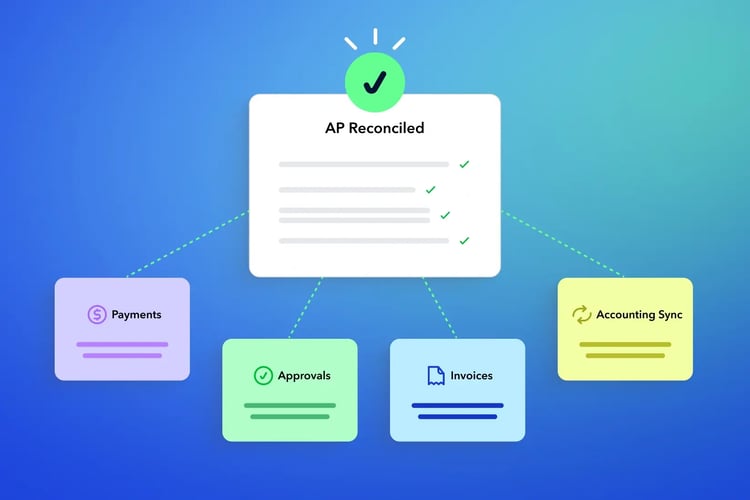
- Accounts payable reconciliation proves that recorded liabilities are complete, accurate, and supported. It compares the AP subsidiary ledger, the general ledger control account, vendor records, and payment activity as of one cutoff date.
- A balanced control account is not proof of a clean AP ledger. Two offsetting errors tie out perfectly while individual vendor balances stay wrong.
- Most close-week pain starts before close week. Daily invoice capture, weekly approval queue reviews, and a fixed AP cutoff prevent the monthly cleanup project.
- Eight questions explain nearly every variance: Scope, timing, existence, duplication, application, valuation, classification, and resolution.
- Judgment calls belong to the accountant, controller, or owner. Bookkeepers prepare, match, investigate, and document. Materiality thresholds and write-offs get approved, not assumed.
- Plooto connects invoice capture, approvals, vendor payments, and accounting integrations so the trail from invoice to payment to ledger entry is already assembled when reconciliation starts.
Accounts payable reconciliation is the month-end control that confirms what your business actually owes its vendors. It is also the task most likely to swallow a bookkeeper's close week, because one unexplained variance can send you hunting through inboxes, payment portals, bank statements, and vendor emails to find a single missing invoice.
This guide covers the full AP reconciliation process: How to set the close calendar, which reports to pull, the seven steps that get the subledger and the general ledger to agree, and how to diagnose discrepancies fast. It is written for the person in the preparer seat, whether you close AP for one business or for a book of client businesses.
What accounts payable reconciliation proves before the close
Accounts payable reconciliation proves that every liability on the balance sheet is real, complete, and backed by a document someone can produce on request. It answers a narrow question with a wide blast radius: Does what the ledger says we owe match what our vendors say we owe, and can we show our work?
What is accounts payable reconciliation?
Accounts payable reconciliation is the process of verifying that the AP subsidiary ledger agrees with the general ledger control account, and that both agree with vendor records and payment activity. Before reconciling, it helps to be clear on what is accounts payable and where this task sits within the accounts payable process.
Reconciliation compares five sets of records:
- The AP subsidiary ledger, meaning the vendor-level detail
- The general ledger AP control account
- Vendor statements and correspondence
- Payment activity from your payment platform or payment register
- Bank clearing information
Confirming what the business owes is a completeness test. Reviewing what the business has paid is an accuracy test. A strong reconciliation does both, because an invoice can be recorded correctly and still be paid twice.
One warning worth internalizing: A balanced AP control account does not prove that every vendor balance is right. Overstate one vendor by $2,400, understate another by the same amount, and the totals tie perfectly while the ledger stays wrong. Tying out is the starting line, not the finish.
Why does AP reconciliation matter to an accurate close?
AP reconciliation matters because unresolved payables differences distort more than one number. They flow into liabilities, expenses, cash, working capital, and every management report built on those figures. An invoice received but never entered understates both expense and liability, which quietly inflates profit for the period.
The recurring risks:
- Understated payables from invoices received but never entered
- Overstated payables from duplicate bills or credits never applied
- Duplicate payments that send cash out the door and leave a debit balance behind
- Missing credits that make a vendor balance look larger than it is
- Incorrect cutoff that pushes expense into the wrong period
Supporting documents matter well past the close. The Canada Revenue Agency requires business records to be reliable, complete, supported by documents, and available on request, and expects an audit trail capable of recreating the sequence of events behind a transaction. Canadian businesses generally keep records for six years from the end of the last tax year they relate to. In the United States, the IRS ties retention to the period of limitations for the return, which is three years in most situations and longer in others.
Unexplained differences compound when they carry forward. Opening balances stop agreeing with a signed-off reconciliation, and the root cause gets harder to find every month.
How AP reconciliation differs from related close tasks
AP reconciliation is often used as a catch-all for several distinct checks. Separating them tells you which one to run when something looks off.
|
Task |
Core question |
What it catches |
|
Subledger to GL reconciliation |
Does the vendor detail total equal the AP control account? |
Manual journal entries, posting errors, filter mismatches |
|
AP aging reconciliation |
Do open items, aging buckets, and vendor balances make sense? |
Stale invoices, unapplied credits, debit balances |
|
Vendor statement reconciliation |
Do the supplier's records agree with yours? |
Missing invoices, misapplied payments, disputed charges |
|
Bank reconciliation |
Did the payment clear cash, and in which period? |
Pending, failed, and uncleared payments |
|
Expense and accrual review |
Were goods or services received but not yet invoiced? |
Unrecorded liabilities, cutoff errors |
Set the close calendar before month-end arrives
The close calendar turns AP reconciliation from a scramble into a routine. Build it backward from the reporting deadline so exceptions surface while there is still time to fix them.
Work backward from the reporting deadline
Fix two dates first: The final close date and the internal AP cutoff. Assign deadlines for invoice entry, approvals, payment runs, vendor inquiries, adjustments, and reviewer sign-off, and leave working time between the first reconciliation pass and final close. Set an earlier cutoff for high-volume or high-risk vendors, since those accounts produce the late surprises.
A workable default timeline:
- Five business days out: Request outstanding vendor invoices and statements, clear stalled approval queues, resolve failed or cancelled payments, confirm recurring invoices and scheduled payments, and remind department owners of the cutoff.
- Two business days out: Pull preliminary AP aging and general ledger reports, resolve report setting and opening balance differences, review missing invoice indicators, match current-period payments, and investigate debit balances and stale credits.
- Close day: Freeze late AP postings, pull final reports, complete the reconciliation, post approved corrections, rerun reports, document remaining timing items, and obtain sign-off.
Keep AP clean between closes
Continuous maintenance is what stops the close from becoming a monthly cleanup project. Build three habits into the ordinary weeks:
- Daily: Capture invoices as they arrive and run duplicate checks at entry
- Weekly: Review approval queues, failed payments, and overdue invoices
- Pre-close: Scan unusual vendor balances and open credits before the cutoff
Decide who owns each input
AP reconciliation fails quietly when nobody has been told they own a piece of it. Name owners in advance:
- Bookkeeper: Prepares reports, performs matching, investigates exceptions, documents adjustments
- Approver or department owner: Confirms receipt, coding, purchase details, and disputed charges
- Accountant, controller, or owner: Reviews material exceptions, approves journal entries, signs off on the final balance
- Vendor contact: Provides statements, invoice copies, credit memos, and payment application detail
Name a backup owner too. Close week is exactly when someone is on vacation.
Agree escalation thresholds in advance
Decide before the close which differences must be resolved and which may stay documented as reconciling items. Agree what triggers immediate escalation, such as a suspected duplicate payment, a fraud indicator, or an unfamiliar vendor. Agree how long an exception may stay open before management review.
Set these thresholds with the accountant or owner rather than deciding materiality at the desk. And never post an arbitrary write-off to force a balance. A plug entry does not fix a difference, it hides one.
Pull the reports and build the reconciliation file
Half the differences you chase are not real. They are artifacts of two reports run with different settings.
Use one cutoff date across every report
Every report should carry the same period-end timestamp, entity, and account scope. Pull the following:
- AP aging detail as of the final calendar day
- AP trial balance or vendor balance summary
- General ledger detail and ending AP control account balance
- Payment register, payment platform activity, and bank clearing information
- Open purchase orders, receiving records, and invoices awaiting approval
- Vendor statements and outstanding correspondence
- Credit memo, debit balance, and voided payment reports
Confirm report settings before investigating anything
Check the accounting basis, entity, currency, location, department, and account filters. Check whether the report keys on posting date, document date, or due date, whether voided, deleted, draft, and pending transactions are included, and whether the reports were refreshed after the last posting.
Inconsistent filters create differences that are not differences. An aging run on document date against a general ledger run on posting date will disagree every month, and no amount of transaction-level digging will explain it.
Build a reconciliation file you can hand to a reviewer
The reconciliation file should let a reviewer follow your logic without asking a single question. Include the opening balance, current-period invoices and adjustments, current-period payments and credits, the expected ending AP balance, the AP aging total, the general ledger AP balance, identified reconciling items, the adjusted balance, and any remaining difference. Attach supporting documents and record the preparer, reviewer, and completion date.
The seven-step AP reconciliation process
Each step narrows the field, so a difference you cannot explain in step one usually has a name by step four.
Step 1: Tie the AP aging total to the general ledger
Record the ending AP control account balance and the total AP aging balance, then calculate the initial variance. Confirm signs and presentation first, since a credit balance displayed as positive manufactures a variance out of nothing. When the totals look unexpectedly far apart, recheck report parameters before opening a single transaction.
Step 2: Reconcile opening balances and prior-period items
Confirm the opening balance agrees with the prior signed-off close. Review carried reconciling items and their expected reversal dates, then identify late postings made to a closed period. Determine whether prior adjustments were posted, reversed, or accidentally duplicated. Escalate aged unresolved items rather than rolling them forward again.
Step 3: Match invoices, credits, and payments
Match on vendor, invoice number, amount, currency, date, purchase order, and payment reference. Check that every payment points to a valid, approved invoice, and that each posted invoice appears once under the correct vendor. Apply credit memos to the intended invoice or vendor balance.
Separate clean matches from partial, one-to-many, and many-to-one matches, because the messy ones hide errors. Where your process includes purchase orders and receiving records, three-way matching resolves most of these before they reach reconciliation.
Step 4: Test the period cutoff and timing
Cutoff testing catches transactions recorded in the wrong period: Invoices dated before month-end but posted after, goods received before month-end without an invoice, payments initiated before month-end that cleared after, invoices posted before receipt, and credit memos issued around period-end.
For each timing item, record the initiation, posting, approval, settlement, and clearing dates, the reason no correcting entry is needed, the period it should clear in, and who confirms it. Flag items needing an accrual or reclass for the accountant rather than posting them yourself.
Step 5: Check high-risk vendor accounts
Prioritize top-spend, high-volume, disputed, or historically problematic vendors. Request missing documents before the close deadline, since a vendor who takes three days to respond will blow your calendar. Look for invoices recorded under alternate vendor names or entities, a common source of phantom missing invoices.
Step 6: Post approved corrections and rerun reports
Correct the underlying transaction wherever possible: Invoice dates, vendor assignments, coding, payment applications, or duplicated entries. Use a journal entry only when the source transaction cannot be corrected properly, and keep approval evidence for material adjustments. Rerun both the general ledger and the AP reports, then confirm no adjustment created a new vendor-level difference.
Step 7: Document and sign off
Sign-off requires four things: The final adjusted AP aging equals the general ledger control account, every remaining difference has an owner, reason, amount, and target resolution date, supporting evidence is attached or linked, and preparer and reviewer certifications are complete. Then lock or archive the reconciliation per your close policy.
How to diagnose AP reconciliation differences quickly
Speed comes from asking the same questions in the same order every time, rather than following whichever thread looks most interesting.
Work through the same eight questions every time
- Scope: Are the reports using the same entity, date, account, currency, and transaction status?
- Timing: Does the item belong to another period, or is it still in transit?
- Existence: Is the invoice, credit, or payment recorded in one system but missing from another?
- Duplication: Was the same obligation or payment entered more than once?
- Application: Was the payment or credit applied to the right invoice and vendor?
- Valuation: Is the amount affected by tax, discount, fee, currency, withholding, or partial payment?
- Classification: Was the transaction posted to the wrong vendor, account, entity, or period?
- Resolution: What correction, evidence, owner, and completion date are needed?
AP discrepancy diagnostic
|
Symptom |
Likely cause |
First check |
Typical resolution |
Preventive control |
|
AP aging exceeds the GL |
Manual GL posting, excluded aging transactions, filter mismatch |
Compare GL entries with subledger source transactions |
Correct the posting or rerun consistent reports |
Restrict direct postings to the AP control account |
|
GL exceeds the AP aging |
Missing vendor-level transaction, manual journal entry, deleted bill |
Review non-subledger entries and audit history |
Reinstate or reclassify the unsupported balance |
Require AP-linked entries and reviewer approval |
|
Invoice still open after payment |
Unapplied payment, wrong invoice match, sync delay |
Trace payment reference and invoice application |
Apply the payment correctly and refresh integrations |
Consistent invoice and payment identifiers |
|
Vendor reports an unpaid invoice you have no record of |
Missing invoice, wrong entity, alternate vendor record |
Request a copy and search vendor aliases |
Enter and approve the invoice in the correct period |
Centralized invoice intake |
|
Same invoice appears twice |
Duplicate entry, multiple intake channels, changed invoice format |
Compare invoice number, amount, date, and attachment |
Void the duplicate and confirm no duplicate payment |
Automated duplicate detection |
|
Payment appears twice |
Duplicate payment run, reissued payment not voided, manual and automated overlap |
Check payment IDs and bank clearing status |
Void, reverse, or recover the duplicate |
Central payment workflow with approval controls |
|
Vendor balance is negative |
Unapplied credit, overpayment, refund due, missing invoice |
Review credits and cash applications |
Apply the credit, record the invoice, or request a refund |
Monthly debit balance review |
|
Payment in the ledger but not the bank |
Pending or failed payment, wrong bank account, cutoff timing |
Check payment status and initiation date |
Document the timing item or fix the failed payment |
Monitor failed and pending payments before close |
|
Statement and ledger differ |
Missing invoice, missing credit, payment timing, vendor application error |
Reconcile the statement line by line |
Record valid items or dispute the vendor's records |
Routine vendor statement reconciliation |
|
Difference is a round or recurring number |
Duplicate accrual, recurring invoice, manual journal |
Search recurring entries and reversals |
Reverse or correct the unsupported entry |
Reconcile recurring entries before final close |
What to do when the invoice cannot be found
Search invoice number variants, vendor aliases, attachments, email inboxes, and approval queues before concluding anything is missing. Then determine which situation you are in: The invoice is genuinely unrecorded, recorded under another vendor, or sitting in an approval queue.
Verify that the goods or services were actually received. Decide with the accountant whether to enter it, accrue it, dispute it, or document it as a post-close item, and track who owes you the missing document.
What to do when a payment looks duplicated
Confirm that two payments actually cleared, rather than one payment showing up in two systems. Check whether a failed or voided payment was reissued correctly, since a reissue with the original left open is the most common false duplicate.
Compare invoice numbers, amounts, bank references, payment IDs, and approval records. If the duplicate is real, contact the vendor about a refund or credit application. Preserve the evidence and escalate immediately if anything looks unauthorized.
Look past the control account: Aging and vendor statements
Tying the subledger to the general ledger is necessary and insufficient. The aging report and vendor statements are where wrong vendor balances actually surface.
Read the AP aging for anomalies
Compare the total aging report against the AP control account, then scan the current, 30, 60, 90, and 90-plus buckets for anything unexpected. Review invoices that jumped buckets since last month, and investigate stale invoices, recurring round-dollar balances, and long-open partial payments.
Confirm whether old balances are valid obligations, disputes, duplicates, or the ghost of an unapplied credit. Never clear an aged balance without evidence. That old $840 line item might be a genuine liability a vendor simply stopped chasing.
Clear debit balances and unapplied credits
Trace each debit balance to its cause: Overpayment, duplicate payment, refund not yet received, credit assigned to the wrong vendor or entity, credit awaiting a future invoice, or an invoice never entered. Then decide which debit balances should be reclassified out of AP rather than sitting in a liability account misstating the balance sheet. That reclassification is an accountant's call, so flag it rather than posting it.
Reconcile statements for priority vendors
You will not reconcile every vendor statement every month, and you should not try. Choose the accounts where an error would hurt: Highest annual spend, largest open balances, high invoice volume, frequent credits or returns, recurring disputes, critical suppliers, and any vendor with a prior duplicate or missing payment incident.
For each one, work the statement in order:
- Start from the vendor's opening balance
- Match statement invoices to recorded bills
- Match statement credits to internal credit memos
- Match payments by amount, date, and reference
- Identify items in transit or posted after the statement date
- Confirm the adjusted closing balance
Keep the correspondence that resolves disputed items. Six months later, the email thread is the evidence.
Cut close time by connecting invoices to payment records
Most reconciliation time is not spent reconciling. It is spent assembling the trail that reconciliation depends on, and that trail breaks in predictable places.
Where manual matching loses the most time
- Invoices arriving through several email addresses and paper channels
- Inconsistent vendor names and invoice number formats
- Approval, payment, banking, and accounting records held in separate places
- Spreadsheet-based payment tracking and manual status follow-up
- No link between invoice, approval, payment ID, and ledger entry
- Exceptions discovered only once the close has already started
Tightening invoice management at intake removes several of these at the source.
Connect approvals, payments, and ledger records
Once you know where the trail breaks, the fix is structural rather than heroic. Accounts payable automation software addresses the assembly problem in four places:
- Centralized invoice capture and approval workflow, which cuts the search for missing documents
- Invoice-to-payment traceability, which makes open or misapplied invoices fast to investigate
- Payment scheduling and status visibility, which separates genuinely pending transactions from real discrepancies
- Accounting integrations that return payment activity to QuickBooks, Xero, and NetSuite instead of requiring manual re-entry
Be realistic about what this does. Software reduces the matching work. It does not remove the need for month-end review, cutoff testing, or professional judgment on adjustments.
Plooto builds this for the people doing the work. Invoice management software handles capture and approvals, payment automation for bookkeepers supports multi-client workflows, and QuickBooks AP automation syncs payment activity back to the ledger before the close.
The copy-ready AP reconciliation checklist
Work down this list before you sign off.
- AP aging and GL reports use the same cutoff date and entity
- Opening balance agrees with the prior signed-off reconciliation
- AP aging total agrees with the general ledger
- Manual entries to the AP control account have been reviewed
- Invoices have been matched to approvals, receipts, and payments
- Duplicate invoices and payments have been investigated
- Pending, failed, voided, and uncleared payments have been reviewed
- Vendor credits and debit balances have been resolved or documented
- Priority vendor statements have been reconciled
- Cutoff and unrecorded liability checks are complete
- Adjustments have support and approval
- Open exceptions have owners and resolution dates
- Final reports have been rerun after corrections
- Preparer and reviewer sign-off is complete
Measure and improve the close
A close that takes the same seven days every month is not a stable process. It is an unmeasured one.
Track whether the close is getting faster and cleaner
- Days required to close AP, and hours spent on reconciliation
- Initial subledger to general ledger difference
- Number and value of open exceptions
- Share of invoices matched without manual intervention
- Duplicate invoices or payments found
- Failed payment rate
- Vendor statement differences
- Adjustments posted after the close deadline
- Repeat exceptions grouped by root cause
That last one matters most. Ten unrelated exceptions are noise. Ten exceptions from the same intake channel are a process problem with a fix, and the pattern gives you the raw material for an AP automation ROI case if you need to justify a system change.
Keep an exception log
For each exception, record the category, vendor and transaction reference, amount, root cause, temporary resolution, permanent preventive action, owner, due date, recurrence status, and any process or system change required. Then, after each close:
- Confirm carried timing differences cleared as expected
- Measure which discrepancy types keep recurring
- Assign process fixes to owners
- Update vendor records and workflow rules
- Adjust the next close calendar based on where the bottlenecks actually were
Reconciliation controls worth having
- Restrict direct journal entries to the AP control account
- Use consistent period locks and a documented late-entry procedure
- Require independent review of material adjustments
- Separate invoice entry, approval, payment release, and reconciliation where staffing allows
Payment-side controls such as vendor master maintenance and bank detail verification sit alongside these, and the vendor payments management guide covers them in detail.
Close accounts payable on time with a connected workflow
Reconciling accounts payable is not difficult work. It is fragmented work. The invoice is in one inbox, the approval is in a thread, the payment is in a portal, and the ledger entry is somewhere else. Close week is when you pay for all of those gaps at once.
The fix is fewer handoffs and clearer transaction visibility. When invoice capture, approval workflows, vendor payments, payment tracking, and accounting integrations run in one place, the trail is already assembled when reconciliation starts. You spend close week reviewing genuine exceptions instead of proving a payment happened.
Make month-end less of a scramble
Authoritative sources
Canada Revenue Agency, review of business systems and keeping audit trails of business transactions https://www.canada.ca/en/revenue-agency/services/tax/businesses/topics/keeping-records/review-business-systems-keeping-audit-trails-business-transactions.html
Canada Revenue Agency, keeping records (RC188) https://www.canada.ca/en/revenue-agency/services/forms-publications/publications/rc188/keeping-records.html
AccountingTools, how to reconcile accounts payable https://www.accountingtools.com/articles/how-to-reconcile-accounts-payable.html
AccountingTools, how to reconcile the general ledger https://www.accountingtools.com/articles/how-to-reconcile-the-general-ledger.html
AccountingTools, reconciliation statement definition https://www.accountingtools.com/articles/what-is-a-reconciliation-statement.html


