
Vendor payments management is the work of getting a supplier invoice from inbox to cleared payment without losing money, time, or evidence along the way. For a bookkeeper running accounts payable across several client businesses, that work rarely fails in one dramatic moment. It leaks. A few minutes re-keying an invoice, a few days waiting on an approval, a rush fee at the end because nobody released the payment until the due date had passed.
This guide covers how to audit your current vendor payment process, score it, and rebuild it so it holds up across every client on your roster.
The order matters. Measure first, standardize second, automate third.
Key takeaways
- Vendor payment delays usually come from approval latency, not data entry speed. Measure touch time and cycle time separately before you change anything.
- A written diagnostic beats a gut feeling. Score each client's workflow across fourteen areas, then fix the lowest scores first.
- Approval tiers should reflect risk. Recurring low-value invoices and first-time vendor payments do not need the same review.
- Bank detail changes deserve independent verification every time. The Canadian Anti-Fraud Centre reports more than $43 million in spear phishing losses in 2025, and accounts payable staff are the specific target.
- Automation executes, people decide. Plooto centralizes bill intake, approval routing, payment execution, and accounting sync so the bookkeeper keeps judgment work and the client keeps final payment authority.
Why manual vendor payment management costs more than it looks
Manual vendor payment management costs more than it looks because the expense hides inside normal working hours. Nothing shows up as a line item called "chasing approvals." It shows up as capacity that never quite stretches far enough to take on another client.
Where the time actually goes
The same invoice gets opened, entered, checked, emailed, and revisited. Approval reminders scatter across inboxes, text messages, and client calls. Payment details get copied by hand between accounting software, bank portals, and spreadsheets that only one person understands.
Then come the questions that consume time without moving a payment forward:
- Rework caused by incomplete invoices, coding gaps, or missing backup documentation
- Status checks from clients and vendors asking whether something has been paid
- A different process for every client, which prevents repeatable delivery
- Knowledge that lives in one person's head rather than in a documented procedure
What the inefficiency costs
The costs land in three places: cash, close, and credibility.
Cash leaks first. Late payment fees, forfeited early payment discounts, and rush charges when approvals arrive after the due date all trace back to the same slow workflow. Duplicate payments, incorrect amounts, and funds sent to a stale bank account cost more, because recovering money after it leaves the account is far harder than checking before it does.
Close slows next, since incomplete payment records at month end turn reconciliation into archaeology. Credibility takes the last hit. Vendor complaints escalate to the bookkeeper rather than the client, and unclear responsibility for initiating, approving, and releasing funds raises professional risk for the firm.
Map the vendor payment process before you change it
Map the vendor payment process before you change it, because you cannot automate a workflow you have not described. Most bookkeepers know their process well enough to run it and not well enough to hand it over. Writing it down exposes the gap.
What a complete vendor payment process includes
A full accounts payable process runs from vendor setup through document retention. The stages look like this:
- Vendor onboarding and payment detail collection
- Invoice receipt by email, portal, upload, or accounting system
- Duplicate and required field checks
- Purchase order, contract, or receipt matching where applicable
- Expense coding, tax treatment, and client-specific classification
- Approval routing and exception handling
- Payment method selection and scheduling
- Payment authorization and release
- Remittance communication to the vendor
- Accounting entry, reconciliation, and document retention
Step four is where validation either happens or does not. For invoices tied to purchase orders and receiving documents, three-way matching catches quantity and pricing mismatches before approval, not after payment.
Document the current state, one client at a time
Pick one client and trace a real invoice end to end, from where invoices arrive through to fully reconciled records. Between those two points, note:
- Every system, inbox, spreadsheet, and banking portal involved
- Who touches the invoice at each stage, and what decision they make
- Where information gets entered more than once
- Which steps vary by vendor, amount, entity, or client
- Which steps depend on knowledge that is not written down anywhere
How do you measure touch time and cycle time?
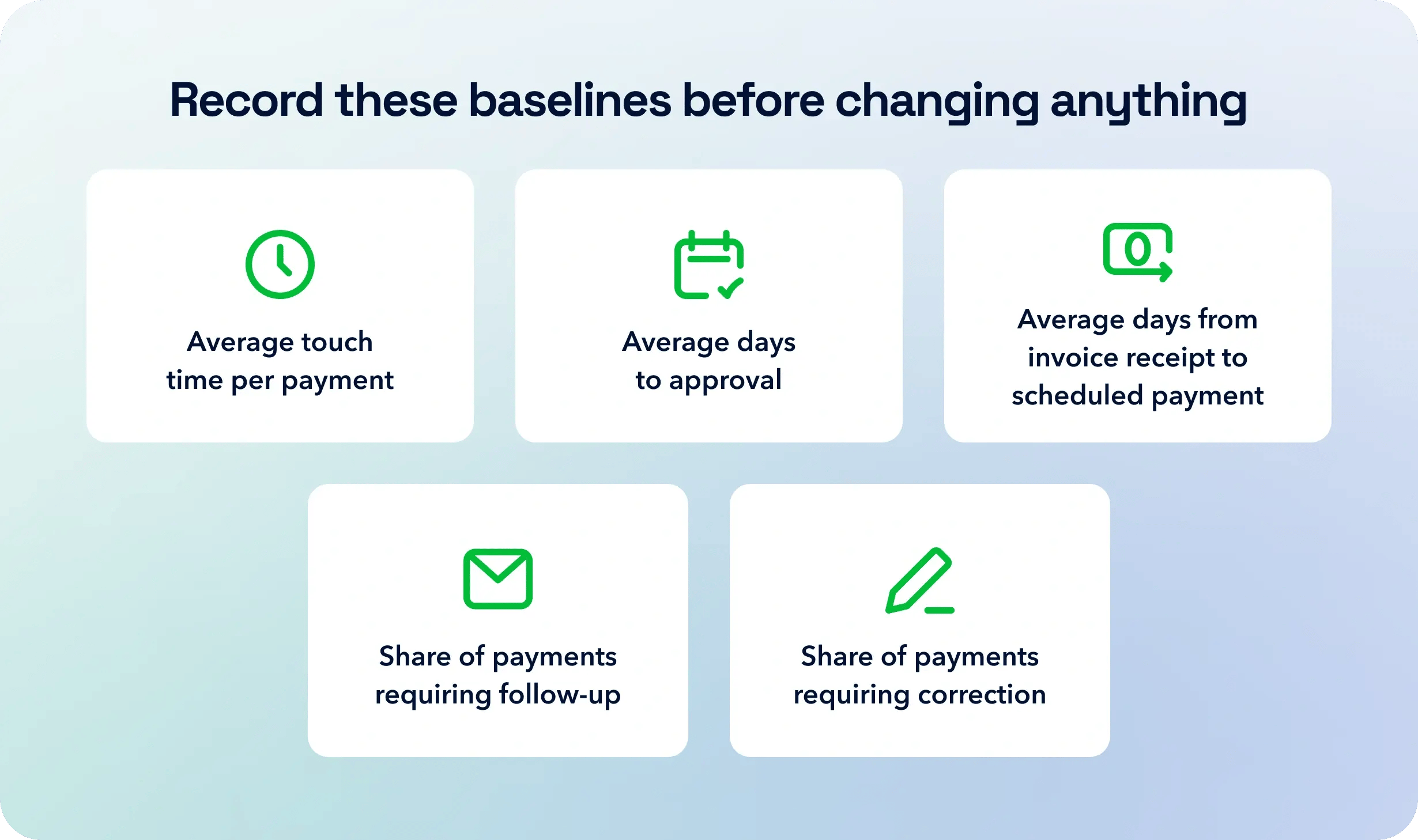
You measure touch time and cycle time separately, because they diagnose different problems. Touch time is the minutes actively spent processing a payment. Cycle time is the total elapsed time from invoice receipt to completed payment, including every hour the invoice sits waiting on someone else.
A workflow can have excellent touch time and terrible cycle time. That happens when the bookkeeper processes an invoice in four minutes and it then waits eleven days for a client signature. Approval latency usually matters more than data entry speed, and it responds to different fixes.
Separate routine payments from exceptions
Routine payments and exceptions need different handling, and mixing them is why every unusual invoice turns into an improvised email chain. Routine covers recurring invoices from established vendors at expected amounts. Everything else is an exception: new vendors and first-time payments, high-value or unusual amounts, missing purchase documentation, changed bank account details, international or multi-currency payments, urgent same-day requests, and credits, partial payments, or disputed invoices.
Give exceptions a defined path with a named owner and a documented decision. Without one, each exception costs the same effort as inventing a process from scratch.
Score the workflow with a vendor payment diagnostic
A vendor payment diagnostic turns a vague sense that "AP is messy" into a ranked list of fixes. Score each area from 0 to 3, where 0 means manual or undocumented, 1 means partly standardized, 2 means standardized and followed, and 3 means automated, controlled, and measured.
Use one row set for each client or business entity, then compare scores across clients to find the highest-impact fixes first.
Vendor payment workflow diagnostic
|
Workflow area |
Diagnostic question |
Warning sign |
Score 0 to 3 |
|
Invoice intake |
Do invoices arrive through one consistent channel? |
Invoices scattered across inboxes and paper files |
|
|
Data entry |
Is invoice data entered only once? |
Re-keying between systems |
|
|
Documentation |
Are invoices, approvals, and payment records connected? |
Evidence stored in separate places |
|
|
Approval routing |
Does each payment reach the right approver automatically? |
Bookkeeper forwards and follows up manually |
|
|
Approval timing |
Can approvers act before the due date? |
Approvals regularly become urgent |
|
|
Segregation of duties |
Are preparation and final authorization separated? |
One person controls the full payment cycle |
|
|
Vendor changes |
Are banking detail changes verified independently? |
Changes accepted by email alone |
|
|
Payment method |
Is the method chosen on cost, speed, and risk? |
Defaulting to cheques or rush payments |
|
|
Payment batching |
Are compatible payments processed together? |
Every payment handled individually |
|
|
Reconciliation |
Do completed payments sync back promptly? |
Manual matching left until month end |
|
|
Exceptions |
Is there a defined path for unusual payments? |
Every exception becomes a new process |
|
|
Visibility |
Can everyone see payment status in one place? |
Frequent "has this been paid?" messages |
|
|
Audit trail |
Can the full history be retrieved quickly? |
Evidence reconstructed from emails |
|
|
Metrics |
Are cycle time, errors, and exceptions tracked? |
No baseline for judging improvement |
|
|
TOTAL |
|
|
Possible total = 42 |
How to read the score
- 0 to 13: Highly manual and high risk. Start with control gaps, centralization, and basic standardization.
- 14 to 27: Partly structured but inconsistent. Remove duplicate entry and clarify approval ownership.
- 28 to 35: Broadly efficient with isolated bottlenecks. Improve exceptions, measurement, and accounting sync.
- 36 to 42: Mature. Focus on automation rates and continuous monitoring.
Pair the number with written notes on material risks and recurring delays. The score is a planning tool, not an audit opinion. Re-score each client after changes and compare against the baseline cycle time you recorded earlier.
Set approval routing that runs without chasing
Approval routing should run without chasing, which means the system asks for the approval rather than the bookkeeper asking on the system's behalf. Getting there requires two decisions: who holds which role, and which payments need which level of review.
Who prepares, approves, and releases vendor payments?
The bookkeeper prepares. The client approves and authorizes. Preparation covers invoice collection, validation, coding, payment preparation, and exception documentation. Approval covers business purpose confirmation, the cash flow decision, and final payment authorization. Keeping the two separate protects both parties, and a bookkeeping firm that holds final payment authority on a client's behalf takes on risk it is not paid to carry.
The Association of Certified Fraud Examiners found in its 2024 Report to the Nations that more than half of occupational fraud cases were linked to a lack of internal controls or to management override of existing controls. Organizations with fewer than 100 employees recorded a median loss of $141,000 per case, and the ACFE estimates the typical organization loses roughly 5% of annual revenue to fraud.
Supporting practices worth documenting:
- Separate vendor record changes from payment release
- Name backup approvers for absences, without creating shared logins
- Use individual accounts and role-based permissions rather than one shared credential
- Review user permissions on a set schedule and remove access promptly when staff or contractors leave
Set approval tiers by risk instead of treating every payment alike
Treating every payment alike is what makes approvals feel like noise, and noisy approvals get rubber-stamped. Well-designed payment approval workflows scale scrutiny to risk.
A workable tier structure looks like this:
| Tier 1 | Tier 2 | Tier 3 | Always escalated |
| Low value, recurring, pre-approved payments to established vendors | Mid-value operating expenses with one designated approver | High value or unusual payments requiring a second review | New vendor payments, bank detail changes, related party and owner or employee reimbursements, and payments outside the normal pattern for timing, amount, or category |
Set thresholds per client based on size and risk. A $5,000 invoice means something different to a two-person consultancy than to a construction firm with forty vendors.
Remove approval chasing from the workflow
Approval chasing disappears when notifications, deadlines, and status all live in one system instead of in the bookkeeper's memory.
- Automatic notification when a payment is ready for review
- Scheduled reminders ahead of due dates
- Clear deadlines and escalation rules when an approver goes quiet
- One central approval status instead of separate email threads
- Mobile approval access for clients who travel
- Named substitute approvers with documented authority
Dashboard queues make the state of the whole portfolio visible at a glance: awaiting documentation, awaiting approval, approved and unscheduled, scheduled, and failed or returned.
Keep evidence of every approval decision
Every approval decision should leave a record that someone else can retrieve without asking you. Capture the approver identity, date, and time, the amount and vendor approved, the supporting invoice and documentation, any change made after the initial review, the reason for any rejection or return, and the final payment status.
Searchable approval history shortens dispute resolution and audit requests from days of email forensics to a single lookup.
Choose payment methods deliberately
Choose the payment method per payment rather than defaulting to one standing habit. Cost and delay accumulate quietly when every invoice gets a cheque, or when every late invoice gets a rush payment.
Weigh the same criteria each time: amount and urgency, domestic or international vendor, vendor acceptance, transaction and administrative cost, reversibility, cash flow timing, remittance detail, and accounting system compatibility.
For Canadian vendor payments, electronic funds transfer is the working default. Payments Canada reported that in 2024, EFT carried 63% of total payment value in Canada while cheques accounted for just 2% of transaction volume yet still 22% of total value. That gap tells you where the remaining paper sits: in exactly the high-value business payments where errors hurt most. Cheques also carry costs that rarely get counted, including materials, postage, staff handling, delivery delay, and stop-payment or reissue work.
To learn more about the mechanics of clearing, timing, and cost comparisons, read our guide to EFT payments. For migration, the practical sequence is short: identify which vendors are still paid by cheque, prioritize the ones you pay most often, and keep a documented exception list for vendors who cannot switch.
Automate execution and protect vendor data
Automation and vendor data protection belong together because the same system controls both. Once payments run on a schedule inside one platform, the controls that guard vendor banking details have somewhere to live.
Set a predictable payment run schedule
Set weekly or twice-weekly payment runs rather than paying as invoices arrive. A fixed cadence gives approvers a deadline they can plan around and gives you one block of focused work instead of constant interruption.
- Group payments by client, due date, method, or currency
- Keep one defined route for legitimate urgent exceptions
- Balance early payment against the client's cash position
- Use due date visibility to avoid rush processing
- Send complete remittance detail with every payment
- Do not hold approved invoices until month end
What should automation take off the bookkeeper's desk?
Automation should take repetitive execution work off the desk and leave judgment work on it. The principle is simple: automation executes, people decide.
Hand to the system:
- Repetitive invoice entry
- Routing to approvers and approval reminders
- Payment status spreadsheets
- Re-keying vendor and payment information
- Separate uploads to the accounting ledger
- Manual matching of completed payments
- Fragmented document storage
Keep with the bookkeeper:
- New vendor validation
- Suspicious changes to vendor details
- Unusual amounts or payment timing
- Incomplete supporting documentation
- Coding judgment and tax treatment
- Client-specific cash flow decisions
- Policy exceptions and final payment authorization
Verify vendor detail changes before money moves
Verify vendor banking changes independently, every time, before money moves. This single control stops the most expensive failure in accounts payable.
The Canadian Anti-Fraud Centre reported more than $43 million in spear phishing losses in 2025, out of more than $704 million in total reported fraud losses, and it describes the pattern precisely. Attackers identify an accounts payable employee, impersonate a supplier or contractor, request urgent payment on an outstanding invoice, and supply an alternate bank account. Some register domain names that closely resemble the real vendor's.
Practical controls:
- Validate new vendor information independently before the first payment
- Treat bank account changes as high-risk events by default
- Confirm changes by phoning a contact already on file, never a number supplied in the change request
- Record who verified the change and when
- Flag changes made shortly before a large or urgent payment
- Restrict who can export or edit vendor banking information
- Train the team to recognize business email compromise and payment diversion attempts
Run a short exception review every week
A weekly exception scan takes fifteen minutes and catches most of what slips through automated controls. Look for duplicate invoice numbers or duplicate amounts within a short window, newly added or modified vendor accounts, payment amounts outside the usual pattern, urgent requests that bypassed the normal workflow, round-dollar payments, payments split just below an approval threshold, dormant vendors suddenly active, failed or returned transactions, and approvals completed by unexpected users.
How Plooto fits a bookkeeper-led AP workflow
Plooto fits after the diagnostic, not before it. Once you know where the workflow breaks, accounts payable automation software replaces four disconnected systems with one workflow covering bill intake, approval routing, payment execution, and accounting sync.
For bookkeepers managing several clients, the practical benefits are specific:
- Manage AP across multiple client businesses without sharing credentials
- Configure separate approval rules for each client
- Leave final payment authority with the client
- Apply dual control to sensitive changes
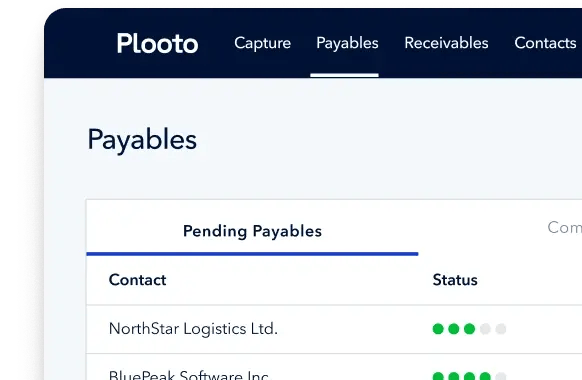
- Track pending and completed payments in one view
- Reduce manual reconciliation through the QuickBooks integration and Xero integration
If you are still comparing platforms, our guide to choosing AP automation software covers evaluation criteria in more depth than belongs here.
Close the loop with reconciliation
Reconciliation closes the loop, and it should happen as payments complete rather than in a month-end scramble. Post payment information back to the accounting system continuously, matching vendor, invoice, amount, date, clearing account, and any fees or exchange differences. Watch for payments that fail, return, or stay outstanding. Keep invoice-level detail visible even when payments are batched, and standardize file naming across clients so records stay searchable.
The Canada Revenue Agency requires business records to be kept for six years from the end of the last tax year to which they relate, and expects electronic records to show a complete audit trail from supporting documents through to the summarized financial accounts. A system that stores the invoice, the approval, and the payment confirmation together satisfies that without extra filing work. For month-end close procedure, discrepancy diagnosis, and vendor statement work, see the guide to accounts payable reconciliation.
Roll out better vendor payments management in 30 days
Roll out the new vendor payment workflow on one client first, over four weeks, then repeat. Trying to fix every client at once produces four half-finished processes instead of one working model.
- Week 1, audit one client. Pick a representative client. Map invoice intake through reconciliation. Complete the diagnostic table. Measure a sample of recent payments and record baseline cycle and touch time. Identify the top three delays and one clear control weakness.
- Week 2, standardize approvals and policy. Assign preparer, approver, and backup roles. Define approval thresholds. Document new vendor and bank change verification. Set regular payment run dates. Create an exception escalation path. Remove shared credentials and unnecessary access.
- Week 3, simplify execution and records. Select preferred payment methods. Identify cheque-heavy vendors for migration. Create batch payment routines. Connect payment and accounting systems. Test reconciliation on a controlled set of payments.
- Week 4, automate and measure. Automate routing, notifications, and eligible reconciliation steps. Train the bookkeeping team and client approvers. Monitor the first full payment cycle. Record exceptions and any user friction. Compare against the Week 1 baseline, then roll the model out to the next suitable client.
Track a small set of numbers
Track eight numbers, not thirty. More metrics than that and nobody updates them.
- Average touch time and total cycle time per payment
- Invoice to approval time, and approval to payment time
- Share of payments made on or before the due date
- Share requiring manual follow-up or correction
- Duplicate payment rate
- Failed or returned payment rate
- Share of payments reconciled automatically
- AP hours per client, and payment exceptions per client
Set a review cadence
- Weekly: Pending approvals, failed payments, upcoming due dates, exception scan
- Monthly: Reconciliation exceptions, late or duplicate payments, vendor detail changes
- Quarterly: Diagnostic re-score, user permissions, approval thresholds, payment method mix
- Annually: Documented procedures, client authorization structure, vendor master cleanup
Streamline client AP workflows with Plooto
Efficient vendor payments management is not a software purchase. It is a sequence: map the process, score it honestly, fix the control gaps, standardize approvals, then automate what remains. Firms that follow that order end up with a workflow they can repeat on the next client. Firms that buy software first end up automating the same confusion faster.
Once the process is documented, the platform earns its place. Plooto centralizes vendor payments across your client portfolio, supports custom approval workflows for each client, keeps authorization with the client, applies dual control to sensitive changes, and syncs completed payments back to QuickBooks and Xero so month-end reconciliation stops eating your evenings.
Simplify AP across every client
Authoritative sources
Payments Canada, Rule F1: Rules applicable to automated funds transfer (AFT) transactions
https://www.payments.ca/sites/default/files/f1eng.pdf
Canada Revenue Agency, review of business systems and keeping audit trails of business transactions https://www.canada.ca/en/revenue-agency/services/tax/businesses/topics/keeping-records/review-business-systems-keeping-audit-trails-business-transactions.html
Chartered Professional Accountants of British Columbia, internal control considerations: A primer for businesses https://www.bccpa.ca/news-events/cpabc-newsroom/2025/january/internal-control-considerations-a-primer-for-businesses/


