
Key takeaways
- Map four stages before you buy anything. Capture, approve, pay and reconcile form one accounts payable (AP) workflow, and scoring each stage shows where automation pays off first.
- Approvals and payments usually come first. They are the delays clients and vendors notice, they touch client cash, and chasing them is recurring non-billable time.
- Cheques still carry serious money. Cheques were only 2% of Canadian payment volume in 2024 but 22% of payment value, according to Payments Canada.
- Automation never means autonomous spending. The bookkeeper prepares, the client approves, and every step leaves an audit trail.
- Plooto automates approve and pay for every client from one login, with two-way sync to QuickBooks Online and Xero feeding reconciliation.
- A 90-day rollout keeps risk low. Baseline three clients, pilot a small cohort, then turn what works into firm templates.
It’s Tuesday, and a bookkeeper with 20 clients is already behind. Two vendor bills got keyed into QuickBooks and then again into a bank portal. Three approval emails from last week are still unanswered. One client needs to sign a cheque before a supplier gets paid, and that client is on a job site until Friday.
Sooner or later, every practice realizes they need to automate to stay on top of everything. Then comes the harder question: Where do you start?
This guide gives bookkeeping firms a four-stage accounting automation framework, a simple way to score each stage, and a 90-day rollout plan. The payoff is real. In a Plooto survey of more than 500 Canadian accountants, 58% said they save six or more hours a month with fintech.
Why accounting automation is now a scaling requirement for bookkeeping firms
Accounting automation is now a scaling requirement because manual payables work grows faster than the client list. Every new client brings its own approvers, vendors, bank accounts and quirks. Without automation, a firm’s capacity runs out long before demand does.
Manual workflows break as your client list grows
Manual workflows break because each new client adds follow-up, not just work. Approvals scatter across inboxes and text messages. Payment status lives in a spreadsheet that one person updates. Cheques need printing, signing and mailing. Client-specific rules, like “the owner approves anything over $5,000,” live in one bookkeeper’s head.
Add ten clients, and you don’t just add ten sets of books. You add ten sets of reminders, chasers and “did that go out yet?” emails. Bookkeeping automation takes over the routine parts of that cycle. It doesn’t replace professional judgment, and it shouldn’t try to.
Your ledger is in the cloud. Your payments may not be.
Most firms moved client books to QuickBooks Online or Xero years ago. Many kept email approvals and bank-portal payments. That leaves a gap in the middle of the workflow, where data gets retyped and status gets lost.
Paper is a bigger part of that gap than most people assume. According to the Payments Canada 2025 Canadian Payment Methods and Trends report, cheques made up just 2% of Canadian payment volume in 2024 but 22% of payment value. The average commercial cheque was worth $12,813, and paying suppliers and vendors was the most common reason businesses still wrote them. The payments that matter most to your clients are often the ones still moving on paper.
Paperless accounting closes that gap with four practical swaps.
|
Manual habit |
Automated replacement |
What changes for the firm |
|---|---|---|
|
Paper cheque |
EFT (electronic funds transfer) |
No printing, signing or mailing |
|
Email authorization |
Approval rules |
The right approver is notified and the decision is recorded |
|
Spreadsheet tracker |
Payment status in one place |
Firm and client see the same status |
|
Manual entry |
Synced data |
Bills and payments flow between tools without retyping |
These swaps are the backbone of a modern cloud bookkeeping practice, where every layer of the stack connects to the ledger.
Automation changes what your team spends time on
Automation shifts bookkeeping time from keying and chasing to reviewing and advising. Job Bank, the Government of Canada’s labour market service, names AI and automation of data entry, reconciliation and invoice processing as key trends for accounting technicians and bookkeepers.
That shift exposes a skills gap inside many firms. Experienced staff know the work backward and forward, but may be less comfortable with new tools. Newer hires pick up software fast but lack the depth to spot a bad bill. The right tools have to be easy for both groups. Think of automation as added capacity, not a headcount cut. The goal is to serve more clients well, not to run the same practice with fewer people.
Use the capture, approve, pay, reconcile framework to decide what comes first
The capture, approve, pay, reconcile framework breaks accounts payable into four stages, so a firm can see where time and risk pile up. Score each stage, and the right starting point usually becomes obvious.
The four stages of an accounts payable workflow
Every AP workflow moves through the same four stages:
- Capture: Bills enter the workflow and their details are extracted.
- Approve: The right people authorize each payment.
- Pay: Money moves to the vendor.
- Reconcile: Payment data returns to the books.
Treat these as one continuous flow, not four separate software projects. A fix in one stage often shifts the bottleneck to the next one.
Visual suggestion: Design the table below as a four-column graphic.
|
Stage |
What gets automated |
Manual work removed |
Typical priority |
|---|---|---|---|
|
Capture |
Bill collection, data extraction, filing |
Re-keying bill details, hunting for attachments |
Useful foundation |
|
Approve |
Routing, notifications, thresholds, multi-level sign-off |
Chasing clients, email threads, signature coordination |
High |
|
Pay |
Scheduling, electronic payments, recurring payments |
Cheque prep, bank logins, status checks |
High |
|
Reconcile |
Payment data synced back to the ledger |
Marking bills paid, matching, status research |
High-value downstream gain |
Score each stage before you automate it
Scoring turns a gut feeling into a decision. Rate every stage from 1 (low) to 5 (high) on each question below, then total the scores. Use real client data, not memory.
|
Question |
What a high score looks like |
|---|---|
|
How often does this stage happen? |
Daily or weekly for most clients |
|
How many people touch it? |
Three or more, across the firm and the client |
|
How much of the time is waiting rather than working? |
Bills sit idle for days between steps |
|
What’s the risk if it’s wrong or late? |
Late fees, duplicate payments, unhappy vendors |
|
How often do you chase the client? |
Every payment run |
|
Can rules cover most transactions? |
Most bills follow predictable patterns |
|
What happens when you add 10 more clients? |
The stage breaks or needs a new hire |
Why approve and pay usually come first
Approve and pay usually come first because those delays are the ones clients and vendors actually feel. A late approval means a late payment. A late payment means a vendor calling your client and your client calling you.
These stages also touch client cash directly. A mistake here isn’t a coding error you fix at month-end. It’s money in the wrong place. And chasing approvals is recurring, non-billable time that grows with every client you add.
Faster intake alone doesn’t solve any of that. If capture speeds up but approvals don’t, you’ve just moved bills into a longer queue. Automating approve and pay together clears the queue where it actually backs up.
When another stage should come first
Another stage should come first when its score clearly beats approve and pay. Three patterns change the order:
- Capture first when bill volume is high and keying errors eat most of your review time.
- Reconcile first when disconnected systems make every month-end close painful.
- Approve and pay together when authorization and execution are tangled, like a client who approves by physically signing the cheque.
Stage 1, capture: Digitize bill intake without calling it full automation
Bill capture digitizes intake and gives AP a clean starting point. It’s an important first step, but it’s only the first step.
What bill capture solves
Bill capture solves the messy front end of payables. Paper bills, PDFs and scattered email attachments get pulled into one place. Capture tools then extract the vendor, amount, due date, invoice number and GST/HST, so nobody retypes them.
The result is a consistent record for every bill before it moves on. Good invoice management software keeps those bills organized by client, and it’s one of the simplest ways to automate invoice management across a practice.
What capture leaves untouched
Capture leaves the rest of the workflow manual. A digitized bill still waits for approval, and the payment may still go out by cheque or bank portal. That’s why your stage scores matter more than how impressive a capture demo looks.
Stage 2, approve: Automate the bottleneck that keeps you chasing clients
Approval automation replaces reminders and email threads with rules. The right person approves the right bill, and the bookkeeper stops acting as the messenger.
What approval chasing really costs
Approval chasing costs far more than the minutes spent writing reminders. First you find the right signer. Then context gets lost across email, text and voicemail. Vendors get paid late. The client relationship wears thin when the bookkeeper keeps asking for the same thing. Plooto breaks down the cost of manual payments for practices that want to put a number on it.
Replace email chains with approval rules
Approval rules make routine decisions automatic and escalate everything else. Strong rules usually include:
- Thresholds by amount: Small recurring bills route to one approver, larger ones to two.
- Multiple approvers: Dual sign-off wherever a client’s policy or bylaws require it.
- Rules per client or bank account: Each client keeps its own structure.
- Notifications instead of reminders: Approvers are alerted automatically when a bill is ready.
- Stored approval history: Every decision is recorded with who approved and when.
- Exceptions routed to a person: Anything unusual goes to a human, not a rule.
For design details, see these payment approval workflows. Who holds sign-off authority is a controls question, covered in the client controls section below.
Stage 3, pay: Move beyond cheques and repetitive payment tasks
Payment execution belongs near the top of the list because it’s where manual work and real risk overlap.
Why payment execution belongs near the top
Manual payment execution is slow, repetitive and risky. Cheques need preparing, signing and mailing. Bookkeepers log into each client’s bank, re-enter vendor details and track due dates by hand. Every time payment details move between systems, the chance of an error grows.
There’s a liability problem too. A bookkeeper holding client banking logins carries risk that isn’t theirs to carry. If a payment goes wrong, the question of who did what gets uncomfortable fast. Plooto’s look at the hidden cost of cheque payments adds fees, float and delays to the picture.
Use recurring payments for predictable obligations
Recurring payments handle obligations that repeat on a schedule. Rent, retainers, contractor payments, software subscriptions and CRA remittances like GST/HST and payroll source deductions all fit. Firms can pay CRA remittances online through the same approval flow as vendor bills.
Scheduling doesn’t remove oversight. Build approval checkpoints into recurring payments, and flag an exception whenever an amount or vendor changes. Electronic doesn’t mean uncontrolled.
Stage 4, reconcile: Let clean payment data flow back into the books
Reconciliation gets easier when payment data returns to the ledger on its own.
What connected payment data removes
Connected payment data removes the after-the-fact cleanup. When amount, payee, date, status and approval history travel together, you stop marking bills paid by hand. You stop re-entering payments. You stop searching bank portals at month-end to figure out what cleared.
That’s the job of a two-way QuickBooks integration or Xero integration. Bills flow into the payment tool, and completed payments flow back to the ledger as paid.
Keep people on the exceptions
People should own the exceptions, not the routine matches. Watch for:
- Unmatched transactions
- Duplicate bills
- Failed or returned payments
- Unexpected amounts
- Changed vendor banking details
That last one deserves extra attention. A request to change a vendor’s banking details is a common fraud signal, and it should always trigger a human check. The principle is simple. Automate predictable matching, and escalate anything ambiguous.
Build client controls into automation from day one
Client controls belong in the design from the start, not bolted on after the first scare. This is where automation earns client trust.
Standardize the process, keep each client’s authority
Standardize the workflow across the firm and customize the authority for each client. Run one flow for all four stages, with client-specific approvers, thresholds, bank accounts and escalation paths. The bookkeeper prepares and manages. The client approves before money moves. Workflow automation is not autonomous spending.
Separate preparing, approving, paying and reviewing
No one person should control every step of a payment. The COSO internal control framework from the Committee of Sponsoring Organizations of the Treadway Commission builds segregation of duties into control activities. Where full segregation isn’t practical, COSO calls for alternative controls instead.
That second point matters for small practices. In New Brunswick, 18% of accounting technicians and bookkeepers are self-employed, compared with 10% across all occupations, according to Job Bank. A solo bookkeeper can’t split duties across a team. Client approval plus a stored audit trail provides the second set of eyes.
Write an automation policy before you scale
An automation policy answers control questions before a client asks them. Make sure to document:
- Which payments may run on a schedule
- Which payments always need review
- Who can change approval rules
- Who can change vendor banking details
- What triggers a second approver
- How exceptions are recorded
- How often permissions are reviewed
Automating approve and pay without giving up control
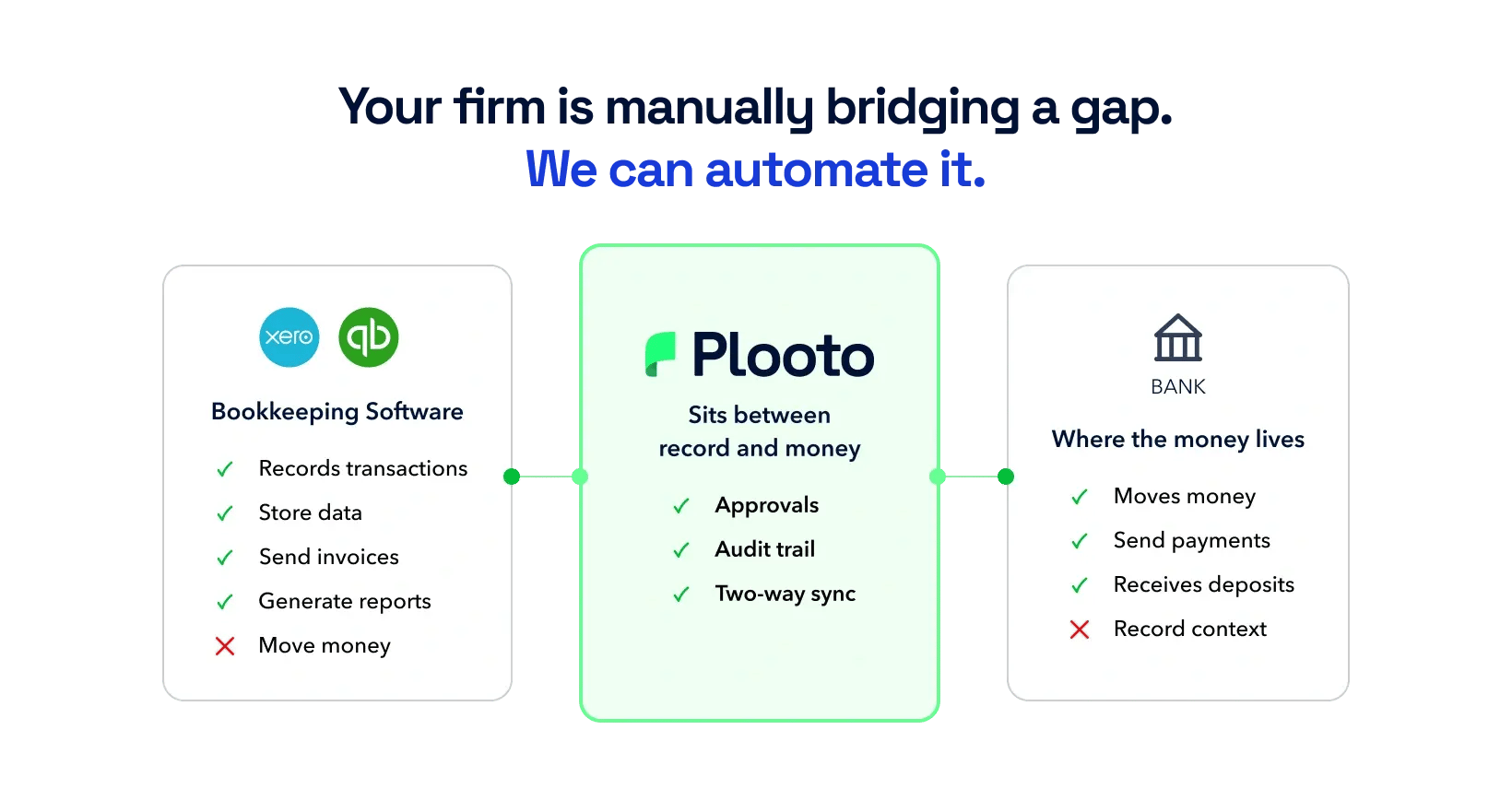
Plooto is the payment layer between each client’s ledger and bank. It automates approve and pay, and it feeds reconciliation. It isn’t the ledger, and it doesn’t try to be.
Plooto in the four-stage framework
Plooto’s core is approve and pay. Plooto Capture reads bills headed for payment, so AP bills don’t need a separate intake tool. Two-way sync with QuickBooks Online and Xero sends completed payments back to the books as paid. Together, that covers the stages where firms lose the most time, using accounts payable automation software built for multi-client work.
Every client’s payments from one login
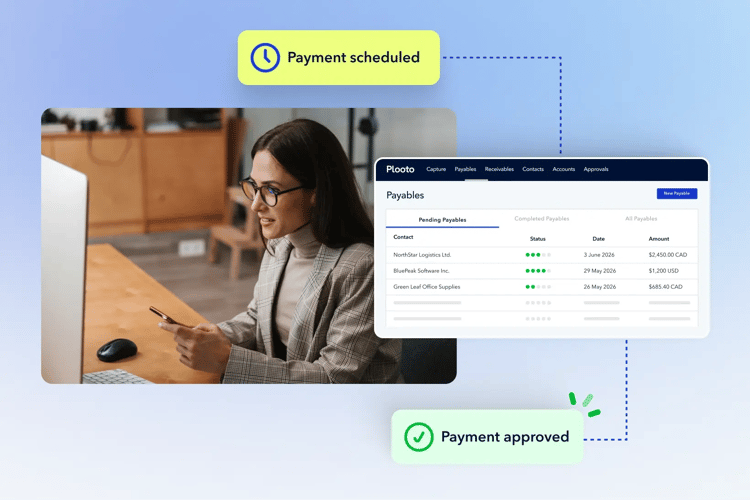
Plooto lets a firm manage every client’s payments from a single login. Each client gets its own approval chains and dual controls, and recurring payments run on schedule. The firm sets up the payment. The client presses approve. Because money only moves on the client’s approval, the firm doesn’t take on payment liability.
Firms using this model report real capacity gains. Bear Hill Bookkeeping’s owner, Jesse Blades, says the time Plooto saves lets him take on more nonprofit clients. BookCo Virtual Accounting used controlled, documented payments to step into an advisory role with the nonprofit boards it serves.
Roll out accounting automation across your client base in 90 days
A 90-day rollout keeps risk low. Test on a few clients, fix what breaks, then scale what works.
Days 1 to 30: Map the manual work
Start with three clients: One simple, one average and one complex. For each, count the emails, spreadsheets, bank logins, cheque steps and manual entries across all four stages. That’s your baseline. Then score every stage with the scorecard from the framework section.
Days 31 to 60: Pilot approvals and payments
Pilot approvals and payments with a small cohort of clients. Configure controls before any volume moves. Set thresholds, schedule recurring payments, and train both staff and client approvers. Log every point of friction, because those notes become your templates.
Days 61 to 90: Measure, standardize, expand
Measure the pilot against your baseline with four numbers:
- Time per client AP cycle
- Approval turnaround
- Follow-ups per payment run
- Manual reconciliation touches
Add client feedback, then turn working pilots into firm-wide templates. The upside compounds. In the same Plooto research, 49% of accounting firms said they served more clients in the same amount of time once their clients adopted fintech. To build the business case, review AP automation ROI for firms.
Automation that creates capacity without losing oversight
The firms that get the most from accounting automation don’t start with the flashiest tool. They map all four stages, start where approvals and payments stall, and keep client sign-off built into every step. That order protects client cash, cuts the chasing, and frees hours for the advisory work clients value most.
Pick three clients this week and run the scorecard. The numbers will tell you where to begin.


